Wooting Analog Keyboards
TachyPy integrates with TachyWooting, a hardware toolbox for Wooting analog keyboards (analog pressure acquisition, hierarchical HDF5 logging, light-press / release readiness checks). The hardware toolbox is usable on its own; this page documents only what becomes available inside TachyPy once the integration is installed — chiefly on-screen visual pressure feedback. For the full keyboard/logging reference, see TachyWooting’s own documentation.
Installation
The integration ships as an optional extra. It pulls tachywooting and exposes
the keyboard through the top-level tachypy namespace:
pip install "tachypy[wooting]"
(See First-time setup below for the one-time native/permissions step.)
One import surface
The enriched WOOTING_ACQUISITION — the hardware acquisition class plus TachyPy
visual feedback — is available straight from the top-level package:
from tachypy import WOOTING_ACQUISITION # keyboard + visual feedback
You never import tachywooting directly. WOOTING_ACQUISITION is the only
keyboard symbol exposed at the top level (it is the common entry point and its
name is unambiguous). The rest of the keyboard surface — the helpers
(convert_char_to_keycode, load_trial, load_session,
trial_to_dataframe, visualize, visualize_all_keys) and the low-level
CFFI handles lib and ffi — lives under tachypy.wooting:
from tachypy.wooting import visualize, load_trial, convert_char_to_keycode
How the enrichment works
WOOTING_ACQUISITION is enriched in tachypy/wooting/__init__.py: it is a
thin subclass that combines TachyWooting’s hardware acquisition class with
VisualPressureFeedbackMixin. The mixin is what adds the
wait_light_press_visual method — nothing else changes:
from tachywooting import WOOTING_ACQUISITION as _BaseAcquisition
from tachypy.feedback import VisualPressureFeedbackMixin

class WOOTING_ACQUISITION(_BaseAcquisition, VisualPressureFeedbackMixin):
    """Hardware acquisition + logging (base) + TachyPy visual feedback (mixin)."""
This keeps the hardware package (TachyWooting) completely free of TachyPy — the
visual method is grafted on here, on TachyPy’s side. Because the mixin only relies
on the PressureSource contract (reading pressures plus
the light-press thresholds), the very same pattern enriches any future analog
keyboard: subclass its base acquisition class and mix in
VisualPressureFeedbackMixin.
First-time setup
The first time you create a WOOTING_ACQUISITION, TachyPy builds the native
interface automatically if it is missing (this needs only a C compiler, no admin
rights). The Wooting SDK plugins and input permissions, however, require a
one-time privileged step:
wooting-build-interface # installs SDK plugins + permissions (needs admin)
If the keyboard is not detected, the error message tells you exactly to run this command — you do not have to remember it.
Basic keyboard use
The enriched class behaves exactly like the hardware acquisition class for acquisition and logging:
from tachypy import WOOTING_ACQUISITION

acq = WOOTING_ACQUISITION(threshold=0.8)
acq.initialize_keyboard(verbose=True)
try:
    # Instantaneous analog pressure (0.0–1.0) of one or more keys
    print(acq.read_pressure("C"))
    print(acq.read_pressures(["C", "Z"]))

    # Block until keys are held in the light-press range (no display needed)
    acq.wait_keys_light_press(target_keys=["C", "Z"], quit_key="Q")

    # Record an analog trial and write it to an HDF5 shard
    acq.setup_logging(name="tracking", path="logs", int_analog=2)
    trial = acq.acquire_analog_values(target_keys=["C", "Z"])
finally:
    acq.uninitialize_keyboard()
Visual pressure feedback
Note
Why this matters. The whole point of an analog keyboard is to record the continuous pressure trajectory of a response, not just a binary press — and that only works if the participant’s fingers are already resting on the keys when the trial begins. Requiring a stable light press before each trial:
guarantees the fingers are on the keys, so the full movement is captured from its earliest, lowest-pressure samples;
guides them to the right resting pressure — high enough that softer presses still fall inside the trackable range, yet low enough to leave headroom for the fuller press that follows.
The on-screen feedback turns this abstract requirement into something the participant can simply aim for.
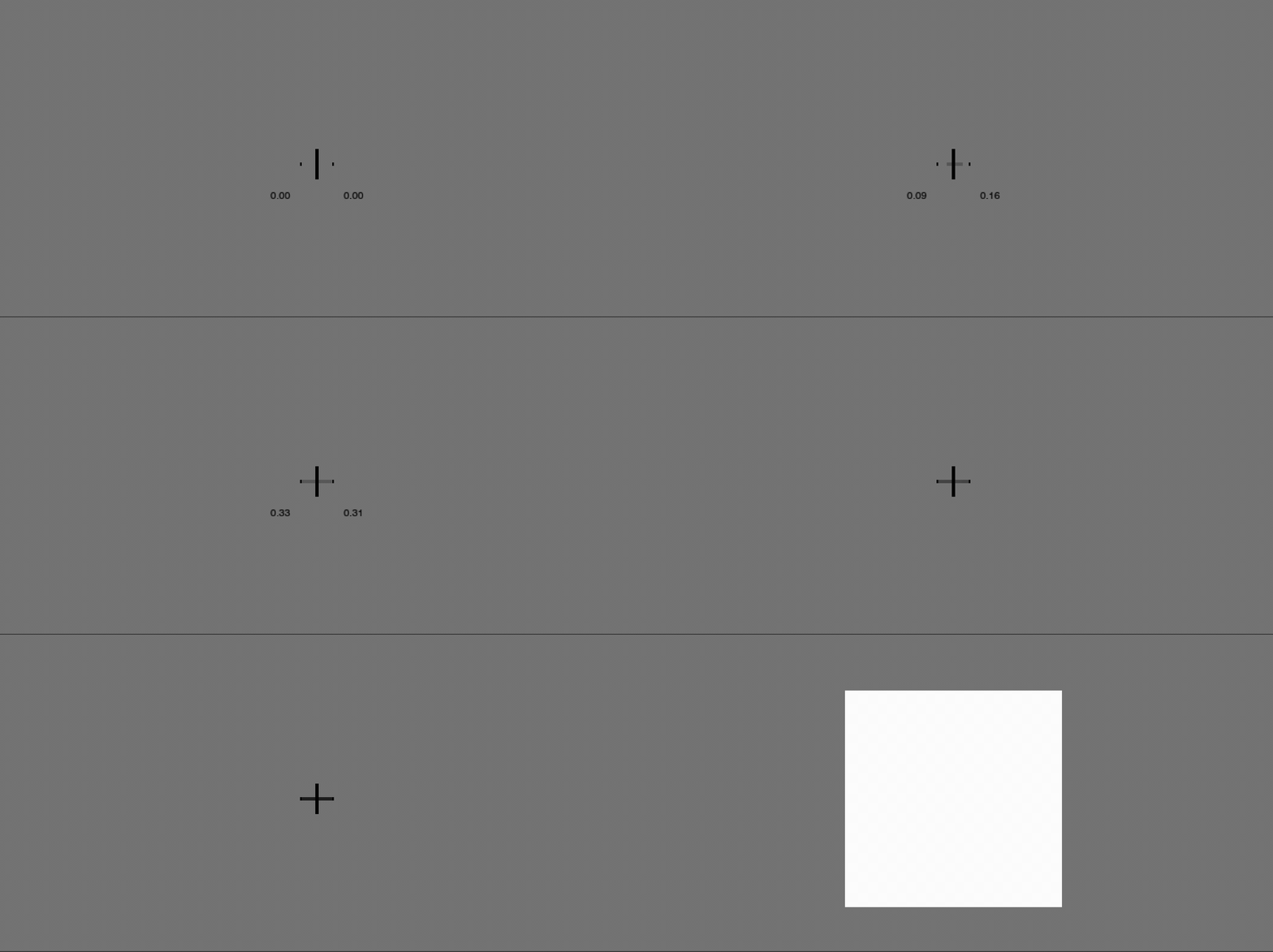
wait_light_press_visual shows an interactive fixation cross while waiting for
two keys to stay within the light-press interval for hold_seconds. It needs a
TachyPy Screen; pass a ResponseHandler to let
the participant quit early:
from tachypy import Screen, ResponseHandler, FixationCross
from tachypy import WOOTING_ACQUISITION

acq = WOOTING_ACQUISITION(threshold=0.8, min_pressure_start=0.33, max_pressure_start=0.66)
acq.initialize_keyboard()

screen = Screen(fullscreen=False)
rh = ResponseHandler(screen=screen)
fixation = FixationCross(center=(screen.width // 2, screen.height // 2),
                         half_width=18, half_height=18, thickness=8, color=(0, 0, 0))

ready = acq.wait_light_press_visual(
    target_keys=["c", "z"],
    screen=screen,
    response_handler=rh,
    fixation_cross=fixation,   # geometry + color copied automatically
    show_pressure_text=True,
    show_goal_markers=True,
)
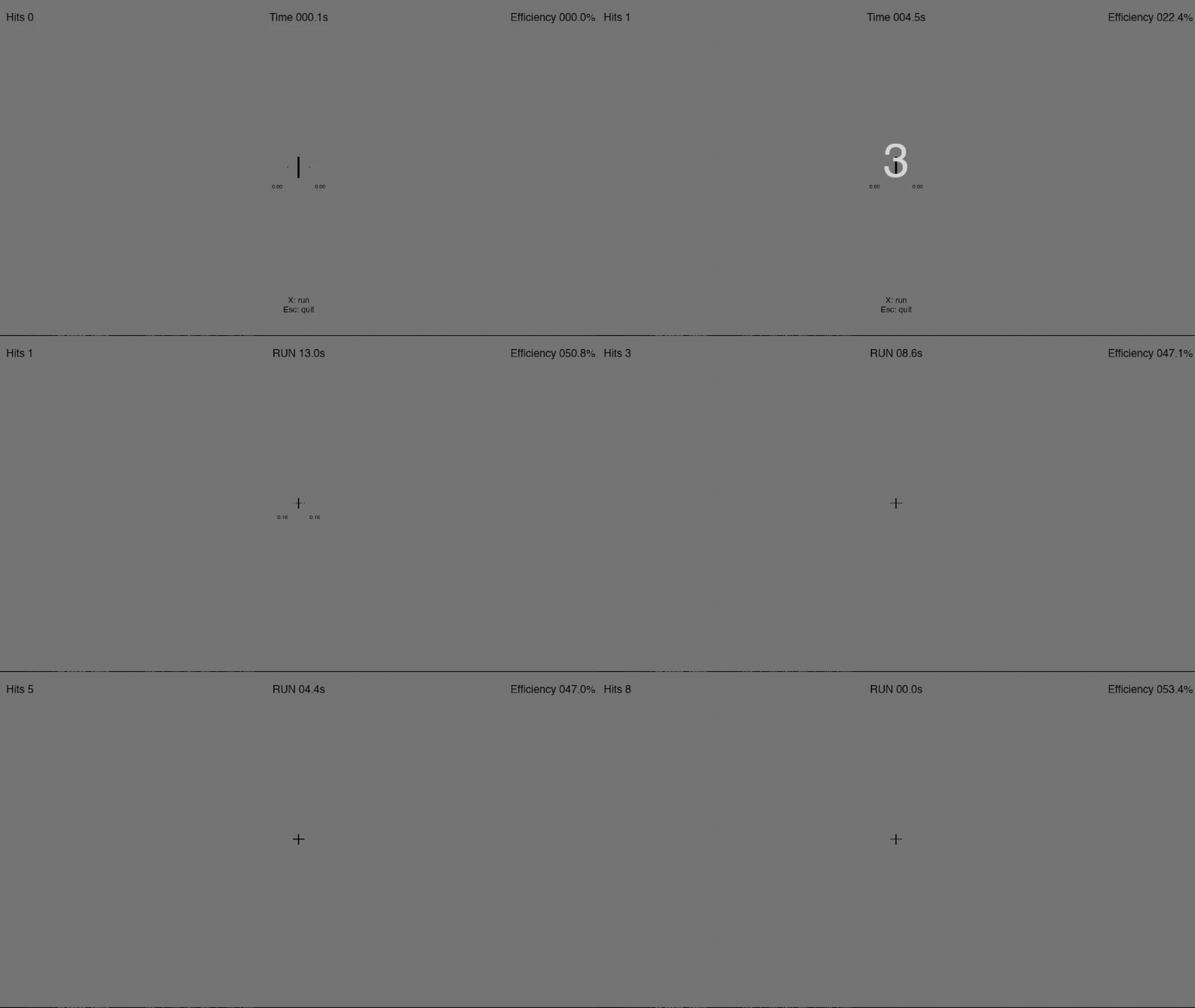
The horizontal bar grows and shrinks with pressure, turns toward the target color as the hold completes, and (optionally) shows live pressure values for keys that fall outside the acceptable interval.
Logging and a full experiment loop
Acquisition trials are logged to HDF5. Logging is opt-in and follows a simple lifecycle:
setup_logging(name, path, int_analog)enables logging.int_analog=2stores analog pressure in[0, 1];int_analog=1stores integer values in[0, 255].Every
acquire_analog_values()call writes one trial shard to a staging directory, so a crash mid-experiment never loses completed trials.uninitialize_keyboard()merges all shards into the final<name>.hdf5and releases the SDK. Always call it at the end (atry/finallyis the safest pattern).
Each values dataset stores three columns — position, time_from_onset
and time_abs — under a per-trial, per-key hierarchy:
/trials/0001/keys/0004/values
Beyond the three columns, each trial also carries metadata as HDF5 group
attributes, surfaced under the "_attrs" key by load_trial():
Attribute |
Type |
Meaning |
|---|---|---|
|
str |
Readout backend used for the trial ( |
|
float |
Actuation threshold (0–1) that defined the response on this trial. |
|
float |
Seconds from |
|
int |
HID keycode of the key that crossed the threshold first. |
|
int |
Onset reference timestamp ( |
|
str |
Clock the onset was supplied on ( |
The threshold-related attributes (threshold_time, threshold_key) are
absent when the threshold was never reached during the trial.
A minimal but complete experiment that ties the lifecycle together:
from tachypy import FixationCross, ResponseHandler, Screen, WOOTING_ACQUISITION
from tachypy.wooting import convert_char_to_keycode

YES, NO = "z", "c"

acq = WOOTING_ACQUISITION(threshold=0.8, min_pressure_start=0.33, max_pressure_start=0.66)
acq.initialize_keyboard()                       # builds the native interface on first use
acq.setup_logging(name="participant_01", path="logs", int_analog=2)

screen = Screen(fullscreen=False)
rh = ResponseHandler(screen=screen)
fixation = FixationCross(center=(screen.width // 2, screen.height // 2),
                         half_width=18, half_height=18, thickness=8, color=(0, 0, 0))

try:
    for trial in range(1, 21):
        # 1) readiness: wait for both fingers to rest lightly on the keys
        if not acq.wait_light_press_visual([YES, NO], screen=screen,
                                           response_handler=rh, fixation_cross=fixation):
            break                               # participant pressed a quit key (Esc, etc.)

        # 2) present your stimulus, then time-lock the trial to the flip
        screen.fill((128, 128, 128))
        # ... draw your stimulus here ...
        onset = screen.flip()                   # flip() returns the post-swap timestamp = onset

        # 3) acquire the response trajectory (writes one HDF5 shard)
        hier = acq.acquire_analog_values([YES, NO], trial_start_ns=onset, trial_start_clock="mono")
        response = acq.get_response_key(hier, [YES, NO])
        print(f"trial {trial}: response = {convert_char_to_keycode([response])[0]}")

finally:
    acq.uninitialize_keyboard()                 # merges shards -> logs/participant_01.hdf5
    screen.close()
The trial is time-locked through the flip: screen.flip() returns the post-swap
timestamp on TachyPy’s monotonic clock, which is passed straight to
acquire_analog_values as trial_start_ns with trial_start_clock="mono".
Every sample’s time_from_onset is then measured from that exact onset.
Reading the log back afterwards needs no keyboard:
from tachypy.wooting import load_session, load_trial, trial_to_dataframe

session = load_session("logs/participant_01.hdf5")   # every trial
trial = load_trial("logs/participant_01.hdf5", 1)     # one trial
df = trial_to_dataframe(trial)                        # tidy pandas DataFrame

trial["0006"]["position"]            # per-key trajectory (keycode "0006")
trial["_attrs"]["threshold_time"]    # trial metadata (see the table above)
Detecting finger removal
For the trajectory to be meaningful, the participant must keep their fingers on
the keys throughout the trial. Lifting a finger mid-response breaks the
continuous signal the analog keyboard is meant to capture — it is the in-trial
counterpart to the pre-trial readiness check above. After each
acquire_analog_values(), the acquisition object reports whether a removal
occurred, so you can warn the participant before it becomes a habit:
acq.acquire_analog_values([YES, NO], trial_start_ns=onset)

if acq.reached_consecutive_removal_limit(2):
    # show your own on-screen message (e.g. a TachyPy Text)
    warn(f"Keep your fingers on the keys — lifted {acq.current_removal_streak} trials in a row.")
elif acq.last_trial_had_removal:
    warn("Try to keep your fingers resting on the keys.")
Related counters let you monitor data quality across the whole session:
last_trial_had_removal, current_removal_streak,
reached_consecutive_removal_limit(n), removal_trials, and
removal_trial_proportion (the fraction of trials with at least one removal).
Logging these alongside your responses makes it easy to flag or exclude
compromised trials during analysis.
Custom widgets (advanced)
wait_light_press_visual builds an
InteractiveFixationCross by default. To render feedback
differently, subclass PressureFeedbackWidget and pass it
via widget=. The settings (PressureFeedbackConfig,
which also computes the pressure-to-scale mapping via scale_for()) and the
pressure state machine (PressureFeedbackState) are
reusable building blocks. See API Reference for the full tachypy.feedback reference.
These tools are keyboard-agnostic: any object exposing the
PressureSource contract (read_pressures plus the
light-press thresholds) can drive the same feedback loop.
Console demos
The integration installs two on-screen demos (they require a display):
tachypy-wooting-fixation-demo   # gamified interactive fixation cross
tachypy-wooting-mini-bw         # minimal black/white response experiment